![Incrmntal Logo.png]](https://knowledgebase.incrmntal.com/hs-fs/hubfs/Incrmntal%20Logo.png?height=40&name=Incrmntal%20Logo.png)
Autonomous Export allows you to automatically receive a recurring export from the Explorer, showing the incrementality attributed to each of your channels across platforms and selected countries. It is designed for teams that want a consistent, automated way to consume incremental insights outside the INCRMNTAL UI.
What does Autonomous Export provide?
Autonomous Export delivers a recurring data dump of incremental results that can be used for:
-
Internal reporting
-
Ongoing performance monitoring
-
External dashboards and BI tools
Recommended setup
Based on typical usage patterns, we recommend:
-
Cadency: Weekly
-
Lookback window: 45 days back
Both cadency and granularity are fully adjustable and can be tailored to your reporting needs.
Export structure and behavior
The structure and update behavior depend on the selected destination.
Google Sheets
When exporting to Google Sheets:
-
On each scheduled run, the export is updated automatically, overwriting the existing data and adding the most recent results.
-
The export is written into a single, INCRMNTAL-managed tab containing Autonomous incremental results
-
The update happens according to the configured cadence (weekly by default).
Amazon S3 Bucket
When exporting to an Amazon S3 bucket:
-
Each scheduled export creates a new folder in the bucket.
-
Every run is saved as a separate, time-stamped export.
The data from Explorer can be sent either to your s3 bucket or to INCRMNTAL's owned bucket. You can read how to create them here.
Configurability
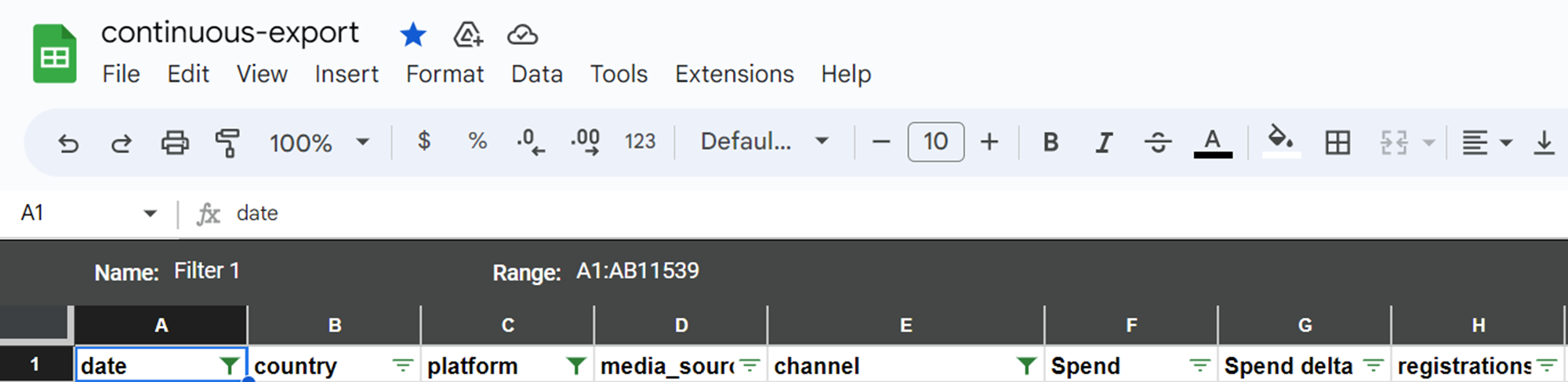
The export is currently configurable by INCRMNTAL. To request an export, please reach out to your CSM, or via support@incrmntal.com.
The following are the default parameters included in the export:
- Country
- Platform: iOS, Android, Web, etc.. All*
- Incremental results for Conversions, 2nd KPI, 3rd KPI*
- Timeframe: by default, the export will provide the incrementality for the past 45 days weeks, continuously overwriting the past 45 days.
- Start of the week: by default, the start of the week is set as Monday
Important notes regarding the available data in the export:
- “Date” indicates the start of the week, for which we report the incremental value.
- If you would like to get a daily breakdown - please request that from your CSM.
- The current default cadence of the export sending it Weekly. If you would like to get the report with a different cadence, please request that from your CSM.