![Incrmntal Logo.png]](https://knowledgebase.incrmntal.com/hs-fs/hubfs/Incrmntal%20Logo.png?height=40&name=Incrmntal%20Logo.png)
Analyst Dashboard is the only place where you can see you data (the data you send to us) and not the insights based on INCRMNTAL output. Here you can check the spend and the metrics you send to us and if they match your internal data.
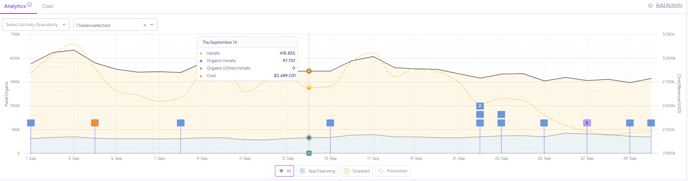
In case you have several metrics on the dashboard, by default, you'll be able to see the cost and the conversion metric data on the dashboard, like so:
In case you wish to review more metrics, such as your revenue or engagement metric you can tick them on the dropdown within the dashboard:
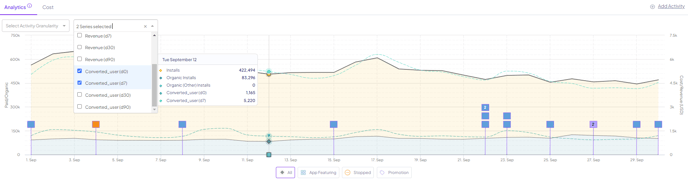
We present the conversion metric by default on the board, but can also present any other metric you choose, in addition to the conversions.
For any question please contact onboarding@incrmntal.com , or open a support Ticket here